LY4A DX Reminder - DX cluster monitoring for Android, Windows and Mac
LY4ADX

LY4A DX Reminder

For radio amateurs — Android, Windows and Mac

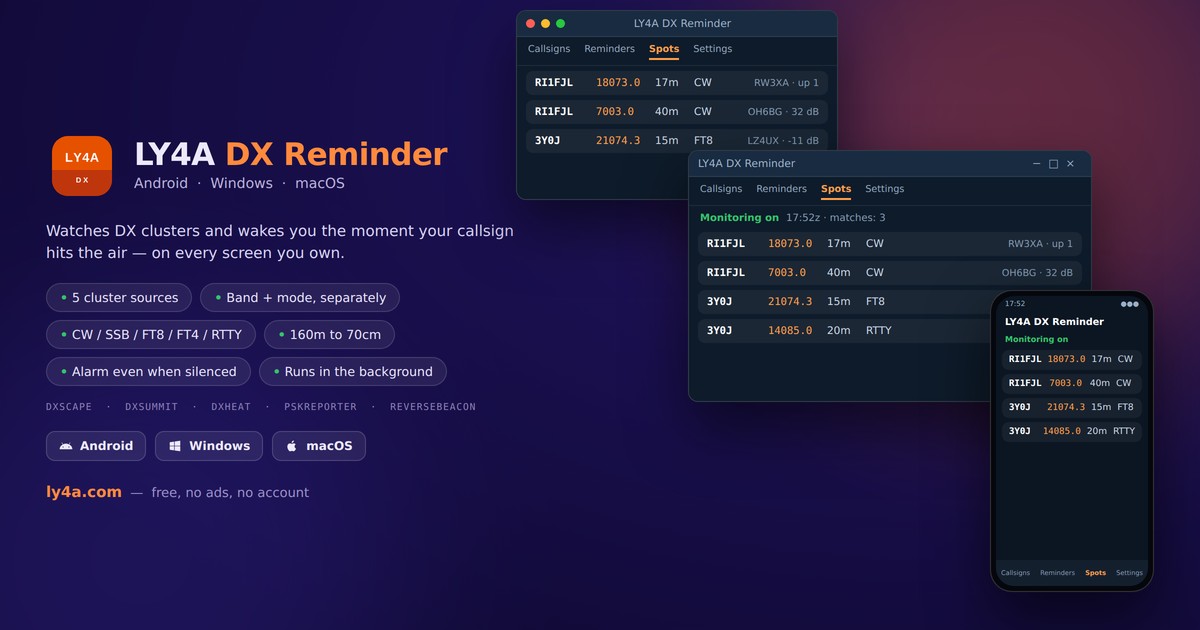
Tell it which callsign you are waiting for, on which bands and in which mode. From then on it keeps watching five DX clusters in the background and raises a real alarm the moment that callsign shows up — even while your phone is silenced or your window is closed.

  • Five sources at once — DXScape, DXSummit, DXHeat, PSK Reporter and Reverse Beacon
  • Band and mode kept apart — 20m CW and 40m SSB never mix, and CW means real CW only
  • 160m to 70cm — all HF bands including 60m, plus 6m, 2m and 70cm
  • Five modes — CW, SSB, FT8, FT4 and RTTY
  • Alarm even on silent — plays on the alarm channel and wakes a locked screen; on the desktop it keeps running from the tray
  • Stop, snooze or delete — straight from the notification
  • Checks every 1, 5, 10 or 30 min — keeps running in the background and after a reboot
  • 15 languages — English, Lithuanian, Polish, Italian, Ukrainian, Czech, Portuguese, Japanese and more

DXSCAPE · DXSUMMIT · DXHEAT · PSKREPORTER · REVERSEBEACON

Download Android APK
Version 4.3 (build 34) · 2.3 MB
Requires Android 8.0 or newer · free
Download Windows x64 software
Version 1.7.0 · 95.4 MB
Installer for Windows 10/11 64-bit · free
Portable version — no install · 94.0 MB
Download macOS software
Version 1.7.0 · 105.3 MB
For macOS 12 or newer · free
Portable version — no install · 100.2 MB
205 downloads LT 67 US 28 ES 14 IT 11 FR 10 DE 7 LV 6 BR 6 GB 5 PL 5 UA 4 HU 4 RO 4 SE 3 CN 3 CA 2 GR 2 HK 2 HR 2 SK 2 EG 2 NO 2 NL 1 PT 1 BE 1 KR 1 IN 1 MX 1 AR 1 SG 1 RS 1 JP 1 SI 1 PH 1 AU 1 BG 1

The app is free and has no ads. If it helped you catch a new one, you can support the work — any amount, or your own.

Donate via PayPal

The app is not on Google Play, so your phone will ask you to allow installing from this source. Allow notifications on first launch — without them the alarm cannot appear. On macOS the app is not signed by Apple yet, so open it the first time with right-click → Open.

Copied

What's new

Version 4.3 (Android) and 1.7.0 (Windows, macOS)
  1. The app knows when it has grown too old. Until now it could only say that a newer version exists. It now also learns from ly4a.com whether this one is still supported: a version that has fallen behind is asked to update at every start, and one that is no longer supported shows only the download screen until it is. Nothing changes today — the limits are set on the site when they are needed. Your callsigns and reminders survive the update either way.
Version 4.2 (Android)
  1. Your own alarm sound. Until now the alarm always used the default alarm tone of the phone. Settings now let you choose one of the system alarm sounds, or any music file on the phone. If that file is later deleted, the system sound comes back rather than the alarm falling silent.
  2. A warning when the phone is holding the alarm back. Android 14 and later give full-screen alarms only to apps they treat as alarm clocks, and battery saving can pause the watching — neither of them says so. Settings now check both and lead straight to the right system screen.
  3. The spotter shows on a paired watch too. The alarm notification draws its own buttons so that Stop and Snooze are reachable without opening it, and a watch skips that drawing — leaving only the frequency and mode. The spotter and the source now travel with the notification itself.
Version 3.9 (Android)
  1. Built against Android 16. Google Play now requires it of every new release. Nothing changes in use; the app still runs on Android 8.0 and newer.

All updates

How to install

Pick your device. None of this is needed twice - only on the first install.

Android phone or tablet
  1. Tap Download Android APK. Your browser may warn about this file type - allow it.
  2. Open the downloaded file. Android will ask to allow installing apps from this source: turn it on for your browser, then go back.
  3. Tap Install, then Open.
  4. On first launch allow notifications - without them the alarm cannot appear.
  5. If the app asks for Alarms & reminders, allow that too, otherwise checks can be delayed by the system.

The app is not on Google Play, which is why the phone asks. It needs no account and collects nothing.

Windows 10 / 11 (64-bit)
  1. Download the .msi file and run it.
  2. Windows may show "Windows protected your PC". Click More info, then Run anyway - the app is not signed with a paid certificate, and that is all this warning means.
  3. Follow the installer. You get a Start menu entry and a desktop shortcut.
  4. Closing the window does not stop it: the app keeps watching from the system tray. Quit it from the tray menu.
Mac (Apple Silicon)
  1. Open the downloaded .dmg and drag LY4A DX Reminder into Applications. Eject the disk image.
  2. macOS 12-14: in Applications, right-click the app and choose Open, then Open again in the warning. A normal double-click gives no Open button.
  3. macOS 15 (Sequoia) and newer: try to open it, then go to System Settings → Privacy & Security, scroll down and click Open Anyway.
  4. If it says "damaged and can't be opened", the file is fine - that is how macOS describes an unsigned app. Open Terminal and paste:
    xattr -dr com.apple.quarantine "/Applications/LY4A DX Reminder.app"

Only needed once. Signing the app would remove the warning but requires a paid Apple developer account.

Design by: InternetSolutions.lt